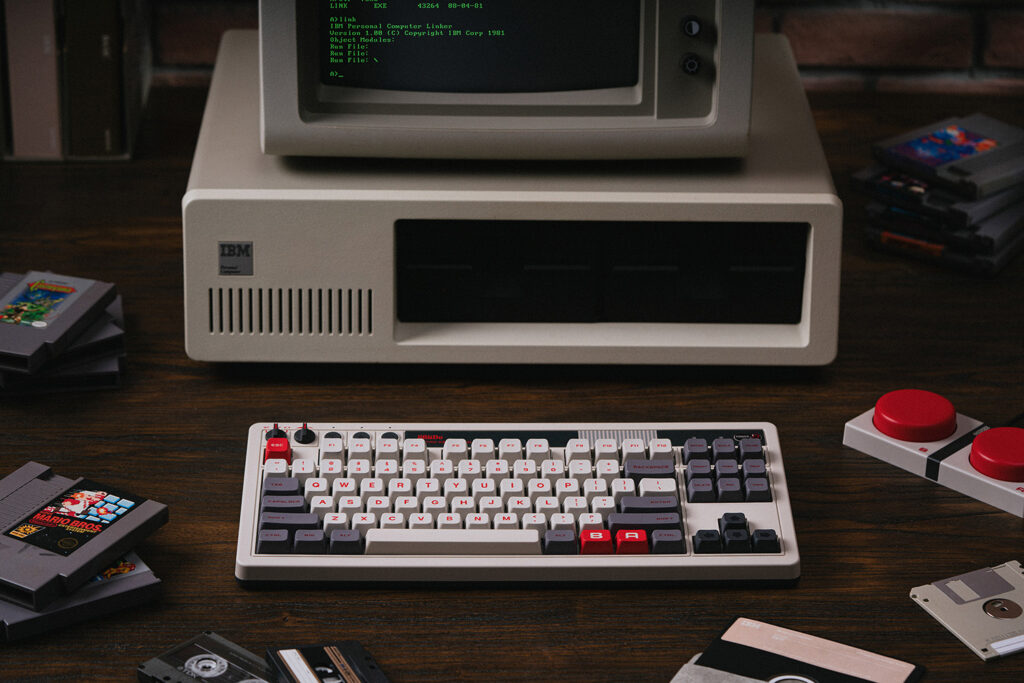
Mechanical keyboards invite a lot of technical vocabulary, but the buying decision can begin with familiar questions. Do you need a number pad? Will the keyboard share a room with someone else? Which devices will it connect to? Start there before choosing switches, lighting, or a particular case material.
Products to consider
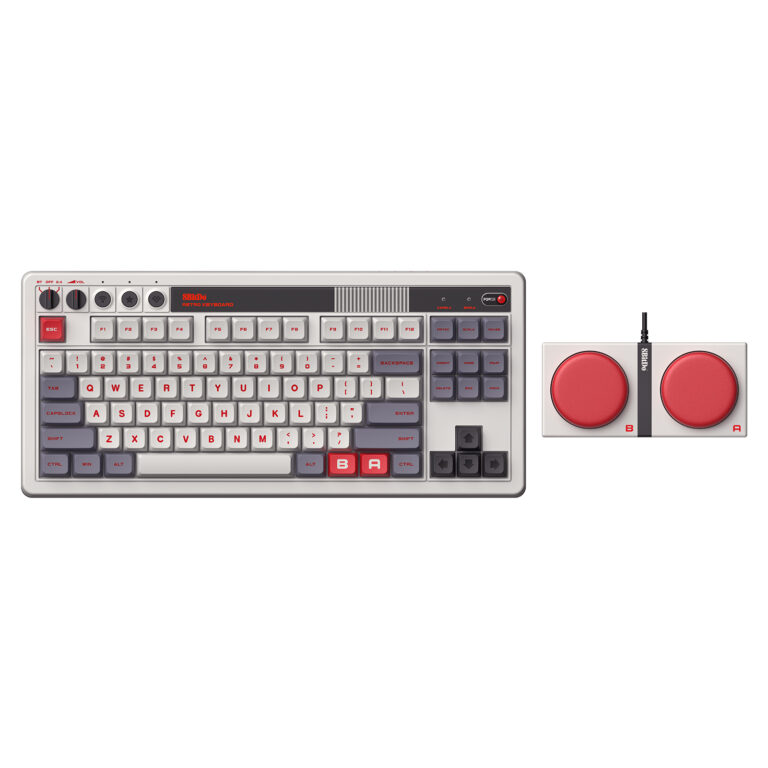
8BitDo Retro Mechanical Keyboard — N Edition
An 87-key keyboard for a Windows or Android desk, with Bluetooth, a 2.4GHz receiver, USB-C, and oversized programmable Super Buttons. A practical layout to compare when you want dedicated navigation keys without a number pad.
Check on Amazon Paid link. I may earn a commission from qualifying purchases.Layout changes the way you reach common keys
A full-size layout includes more dedicated keys and takes more desk space. Compact layouts reduce the footprint but may move navigation functions into key combinations. Look at the exact key arrangement rather than relying on a percentage label alone.
Check the language layout and physical key shapes. If you use shortcuts frequently, consider whether the modifier keys and function row match your operating system and work habits. A smaller keyboard is not automatically a simpler one.
Switch feel is a preference, not a ranking
Products often describe switches as linear, tactile, or clicky. Those broad labels are starting points for feel and sound, not a complete description of a keyboard. The case, mounting design, keycaps, and desk surface also shape the experience.
If you can, try a keyboard or switch sample before deciding. A short description from another user cannot guarantee how a switch will feel to you during a full work session. Consider the return policy when a preference is difficult to judge remotely.
Think about the people who will hear it
A keyboard that feels satisfying alone may be distracting in a shared room or on a microphone. Avoid assuming every mechanical keyboard is loud or that a quiet-sounding switch label makes the entire keyboard silent.
Look for evidence that matches the actual model and configuration. If noise is a priority, consider how the keyboard will sit on the desk and whether the sound you hear in a recording is representative of that setup.
Check connection and software requirements
Confirm wired and wireless support for your devices, how switching is handled, and any limits of the included connection method. Check whether remapping requires software, an account, or browser features that may be restricted on a work computer.
For replaceable switches or keycaps, verify exact compatibility and the manufacturer’s instructions. A hot-swap label does not establish that every switch format will fit. Read warranty guidance before opening a case or changing components.
Choose a manageable first keyboard
Prioritize a familiar layout, a connection that works with your devices, and clear documentation. Customization can come later. Keep the supplied tools and original parts organized if you plan to make permitted changes.
This article does not claim hands-on testing.
Separate the first purchase from customization
For a first mechanical keyboard, compare a familiar layout and supported connection before spending on replacement switches or keycaps. Keychron’s compatibility documentation distinguishes standard, low-profile, and magnetic switch systems, showing why hot-swap is not a universal interchangeability promise. Verify the exact variant if later changes are part of the plan.
Customization can extend the usefulness of a compatible keyboard, but it also adds parts, tools, and decisions. Keep the original components and instructions organized. A clearly documented keyboard that fits the desk and shared room is a stronger starting point than a theoretical upgrade path that depends on incompatible parts.
One candidate: 8BitDo Retro Mechanical Keyboard N Edition
If an 87-key layout fits your Windows or Android desk, the N Edition is worth comparing. It keeps dedicated arrows and a function row while leaving out the number pad. Bluetooth, a 2.4GHz receiver, and USB-C provide different connection choices, while the included Super Buttons add separate programmable controls.
Those extras are useful only when you have commands and space for them. Keep looking if a built-in number pad or an unsupported platform is essential. Compare switch feel and room noise rather than choosing the design from a photograph alone. Our N Edition buying guide explains the layout, connections, and trade-offs in more detail.
Sources
Based on the manufacturer and primary-source references below, checked November 12, 2026.
Continue with our smarter shopping field guide and explore more computers accessories guides. Read our editorial policy for sourcing and corrections.