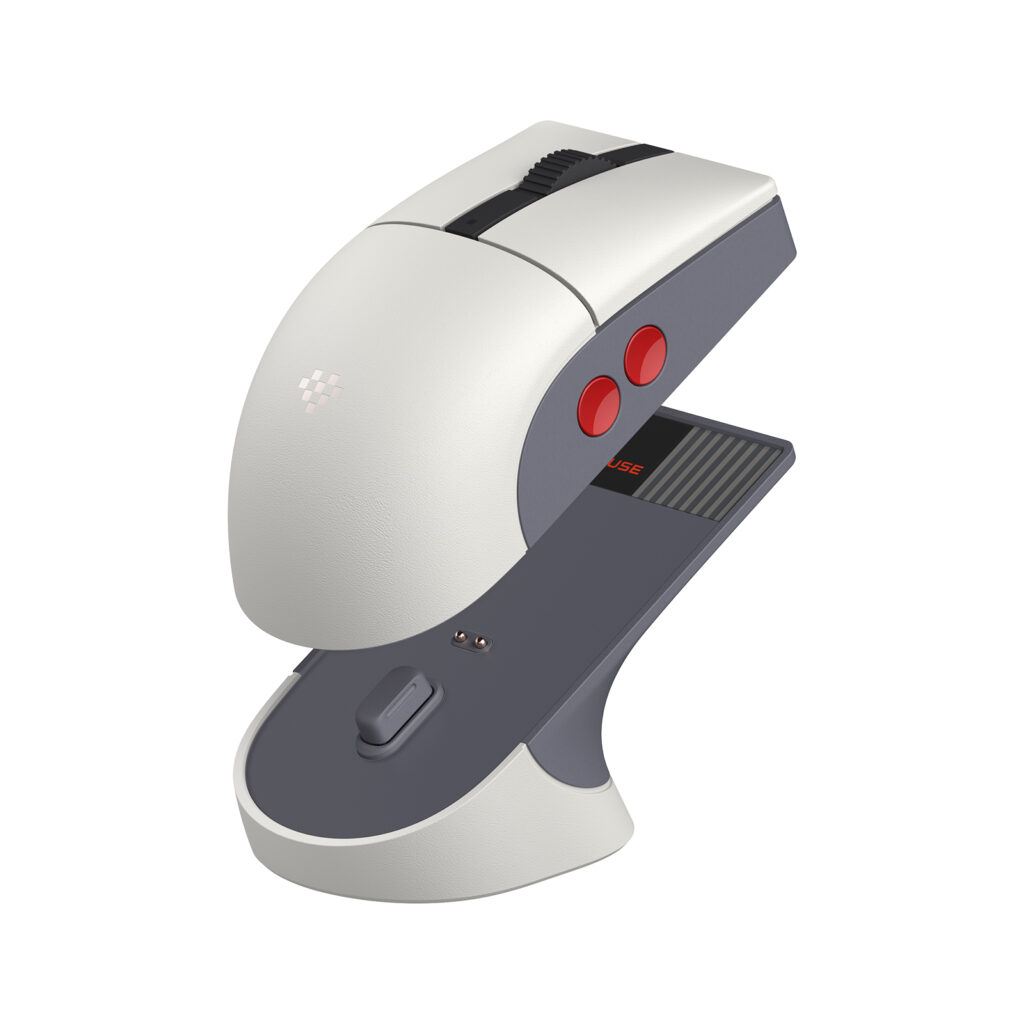
The 8BitDo Retro R8 Mouse N Edition is most interesting as a complete desk arrangement: mouse, wireless receiver, and a matching charging dock. Consider it if you will use the extra side buttons and give the dock a permanent home. If all you need is an inexpensive pointer for a travel bag, the dock and customization features may add more equipment than the task requires.
Products to consider
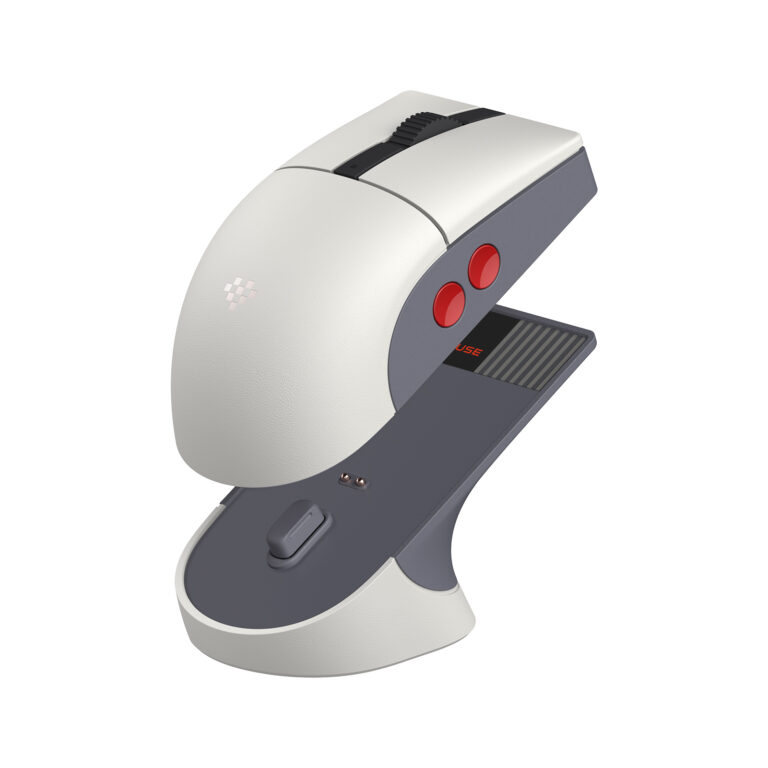
8BitDo Retro R8 Mouse — N Edition
A retro-styled mouse with Bluetooth, 2.4GHz, USB, four programmable side buttons, and a charging dock. Consider it for a desk that will use the dock and extra controls; check the 115 × 58 × 39.4mm body against your preferred grip.
Check on Amazon Paid link. I may earn a commission from qualifying purchases.| Your situation | What matters |
|---|---|
| You want a permanent charging spot | The included dock is part of the attraction. |
| Your desk is packed away every evening | Consider whether a simpler mouse and cable would be easier. |
| You depend on custom button behavior | Check software support on the exact computer you use. |
Is it the right shape for your hand?
8BitDo lists the mouse body at 115 × 58 × 39.4mm and 77g. Compare those dimensions with a mouse you already find comfortable. A symmetrical shell and left/right-hand mode options are useful design details, but they do not establish that the same body suits every hand or grip.
The manufacturer positions the shape for claw and fingertip use. Treat that as its intended design, not a comfort guarantee. If you prefer a larger body that fills the palm, check the measurements carefully and prioritize the ability to return an unsuitable fit.
What the dock changes
The dock provides a dedicated place to charge the mouse and stores the 2.4GHz adapter. 8BitDo also documents a signal-extension role for the dock. The everyday advantage is organizational: there is a defined place for both the mouse and its small receiver.
That advantage depends on leaving room for it. A desk that is packed away every evening may be better served by a simpler charging arrangement. Measure the dock and cable path, and remember that a product photo showing the dock separately does not mean it requires no desk space.
Choose the connection before chasing a specification
The R8 supports Bluetooth, 2.4GHz wireless, and wired USB. Bluetooth can suit a compatible device when you want to keep a USB port free. A receiver or cable can suit another setup. Choose the method that fits the machine and software you intend to use.
Its advertised polling capabilities differ by mode; the highest figure is not a Bluetooth specification. Do not combine numbers from different modes into a feature the mouse does not offer. For ordinary desktop work, compatibility, button access, and a stable routine are more useful starting points than buying the largest number on the page.
Give the side buttons an actual job
The mouse has four programmable side buttons and configuration through 8BitDo's PC software. Before paying for that flexibility, name the shortcuts you want: a repeated application command, navigation action, or supported game input. Then check whether the desired behavior is available in the software and platform you use.
Extra buttons can also be controls you accidentally press or never use. Consider where they sit relative to your grip rather than assuming more is better. On a managed work computer, confirm that installing the configuration software is permitted before making it the reason for the purchase.
N Edition, C64, and Xbox are not interchangeable names
This guide and the shopping button refer to the N Edition. 8BitDo sells related designs with other styling and some edition-specific components. Keep the model and colorway consistent when comparing a product description, photograph, and selected merchant variation.
Matching a keyboard's appearance can be a legitimate preference, but it is not a technical requirement. The R8 should earn its place through a comfortable shape, useful controls, and an appropriate connection even if no other item on the desk shares its colors.
Our take
Consider the R8 N Edition for a fixed PC desk where the dock and programmable buttons will be used. Keep looking if the shape is wrong, the dock creates clutter, or the purchase depends on software you cannot run. We have not measured tracking, battery endurance, or click durability; the recommendation is based on the documented design and those use-case trade-offs.
Start with our home-office guide if the entire setup needs work. Solving monitor placement, call audio, or cable routing may matter more than replacing an otherwise suitable mouse.
Sources
Specifications and product version checked November 12, 2026. Images supplied in 8BitDo / Game Outlet Europe press assets; no hands-on testing is claimed.
Compare more computer accessory guides and read our editorial policy.