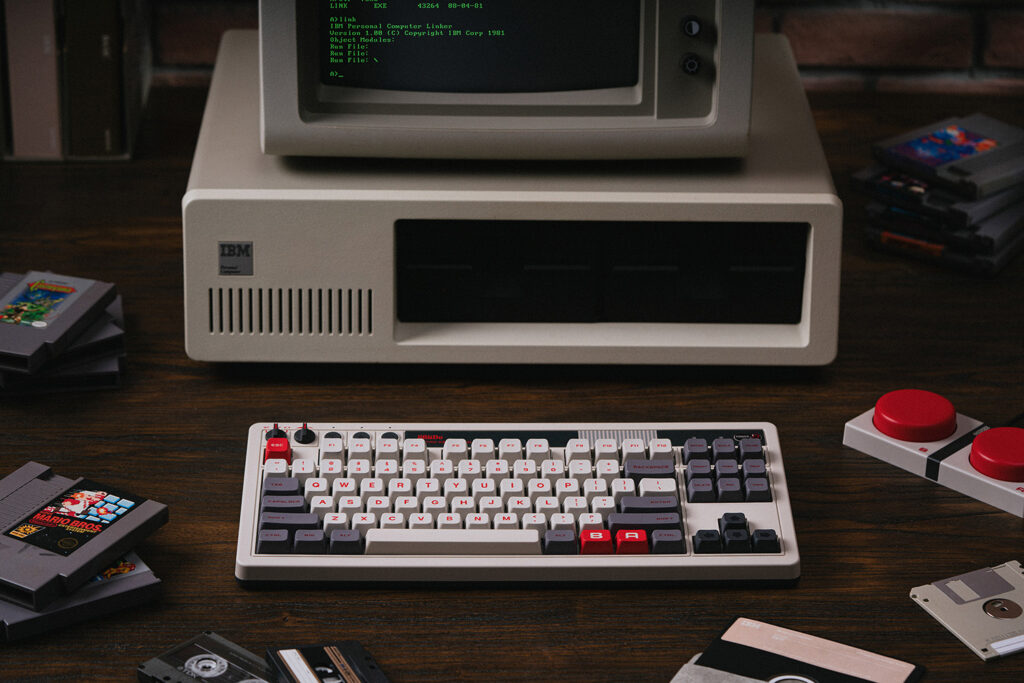
The 8BitDo Retro Mechanical Keyboard N Edition makes sense when you want a Windows or Android desk keyboard with dedicated navigation keys, several connection options, and controls you can reach without a shortcut. Its retro styling is the attraction; the 87-key layout is the decision that matters every day. Skip it if a built-in number pad is essential or you want a keyboard chosen primarily for its low noise.
Products to consider
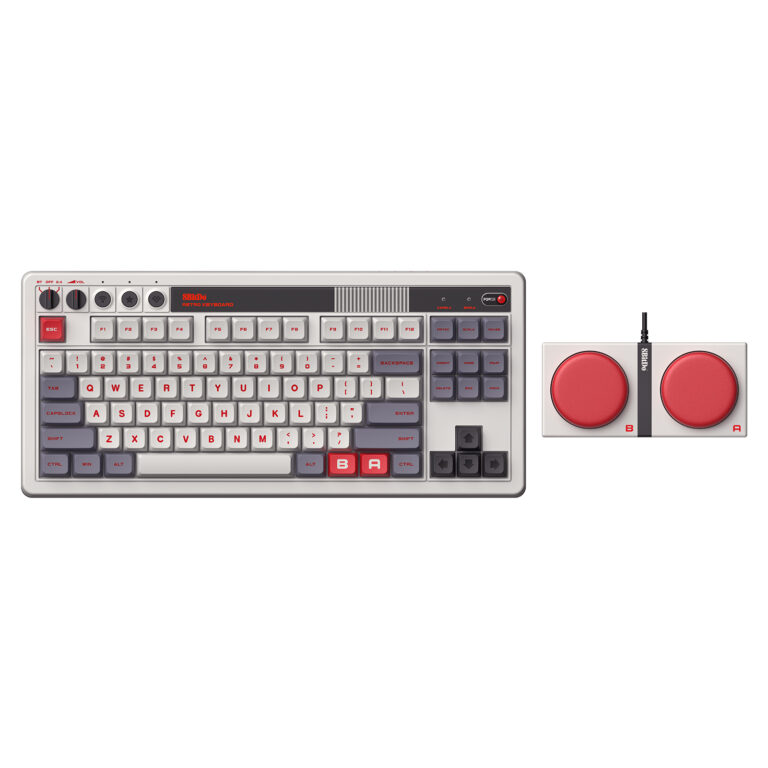
8BitDo Retro Mechanical Keyboard — N Edition
An 87-key keyboard for a Windows or Android desk, with Bluetooth, a 2.4GHz receiver, USB-C, and oversized programmable Super Buttons. A practical layout to compare when you want dedicated navigation keys without a number pad.
Check on Amazon Paid link. I may earn a commission from qualifying purchases.| Your situation | What matters |
|---|---|
| You need dedicated arrows and shortcuts | The 87-key layout keeps a navigation area without a number pad. |
| You enter numbers all day | Compare a full-size layout before buying. |
| You work on a locked-down computer | Check the connection and configuration tools your workplace permits. |
The buying decision in one minute
Choose it for a fixed desk where arrows, a function row, and extra programmable controls will get used. The separate Super Buttons are an optional part of that setup, not a reason to buy if they will simply sit in a drawer. Measure their space separately from the keyboard.
If you regularly enter long columns of numbers, compare a full-size layout first. If your priority is the smallest possible bag, compare a more compact keyboard. This model occupies a useful middle ground: it removes the number pad while keeping a familiar navigation area.
What the N Edition actually includes
8BitDo lists an 87-key layout, hot-swappable PCB, PBT keycaps, and Bluetooth, 2.4GHz, and USB-C wired connections for this version. Its US product page links to the N Edition on Amazon. Other colorways and later editions can use different switches or layouts, so keep the exact edition in view when choosing a variation.
The manufacturer documents Windows and Android support and provides Ultimate Software V2 on PC for configuration. If you depend on Mac-specific keys, a work computer that cannot install software, or a particular remapping workflow, resolve those requirements before treating the styling as a reason to overlook them.
Pick a connection for your desk
A wired connection is straightforward when the keyboard stays beside one computer and a cable is acceptable. The 2.4GHz receiver is worth considering when a suitable USB connection is available and you want the keyboard away from a visible cable. Bluetooth can be convenient for a compatible device without dedicating a port to the receiver.
Those are workflow choices, not a latency ranking. Think about where the receiver will live, how the keyboard will charge, and how often you change devices. A keyboard with three modes is useful only when its switching routine fits the devices you actually use.
Decide whether the Super Buttons solve anything
The included Dual Super Buttons put two large programmable inputs outside the normal key area. That can suit a repeated shortcut you want to find easily, especially when the main keyboard already has a familiar arrangement. Start by naming the actual commands you would assign.
The trade-off is physical space and another connected component. A small desk does not become more useful merely because it has more buttons. Leave them out of the arrangement if ordinary keys already handle the job, and do not buy around a configuration your employer or software policy prevents.
Check feel, sound, and customization separately
The switch name tells you what is supplied, but your experience also depends on the desk, room, and preferences. Look for recordings and observations of the exact N Edition if sound matters, and use a suitable return policy when you cannot try it. No hands-on sound or typing comparison is claimed here.
Hot-swap support creates a possible upgrade path; it does not make every replacement switch or keycap compatible. Read the keyboard's supported parts and instructions before planning changes. Include any additional parts in the real cost of a customization idea.
Who should pass on this keyboard?
Pass if daily number-pad work, a laptop-sized travel kit, or a specific unsupported platform is the central requirement. Consider it if the 87-key layout already fits your tasks and the connection choices and programmable controls improve that routine. Buy for those practical reasons, with the retro appearance as a preference rather than evidence of performance.
For a broader layout comparison, read our mechanical-keyboard buying guide. For a complete desk, compare lighting, display connections, and call audio before adding more keyboard accessories.
Sources
Specifications and product version checked November 12, 2026. Images supplied in 8BitDo / Game Outlet Europe press assets; no hands-on testing is claimed.
Compare more computer accessory guides and read our editorial policy.