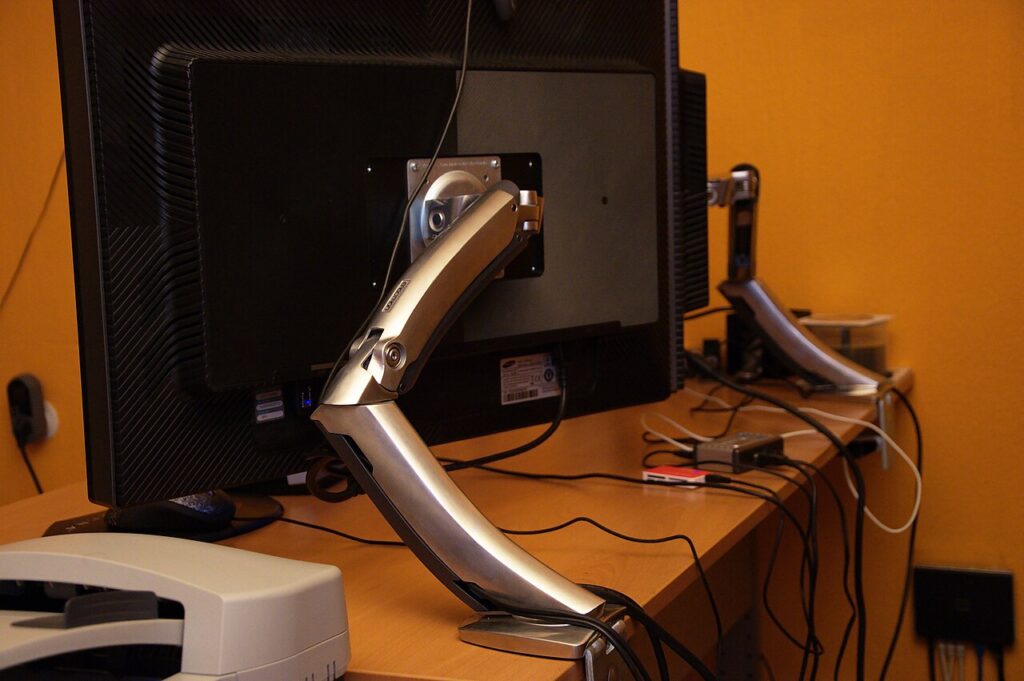

A monitor arm can clear desk space and make positioning easier, but it also transfers the display’s weight to a particular mounting point. Start with the display, desk, and usable movement area. Screen diagonal alone is not enough to establish fit. A careful measurement sheet is more useful than an arm described as suitable for most monitors.
Confirm the display’s actual mounting interface
Find the monitor’s manual or mounting specification. Record its supported hole pattern, weight without the removable stand, and any required adapter or spacer. Ergotron’s VESA guide identifies hole pattern and display weight as primary compatibility checks. The exact display instructions still govern the correct hardware.
Look at the back of the monitor as well as the numbers. A recessed mounting area, nearby connection, or fixed stand can complicate installation. Check whether the arm’s mounting plate reaches the interface without obstructing ports or controls. Do not choose screw length by guesswork.
Match the arm’s full weight range
Some adjustable arms specify both minimum and maximum display weights. Compare the monitor’s relevant weight with the whole stated range. Do not assume an arm designed for a heavy display will hold a very light one in the position you want.
For a dual arm, check each side’s requirements and the combined desk installation. Two different monitors may have different mounting depths and screen heights. If alignment matters, read how the arm adjusts each display rather than assuming identical-looking arms will line up mismatched screens.
Inspect the desk before choosing a clamp
Measure desk thickness and check the underside for frames, drawers, cable trays, and lips. The clamp needs suitable contact and clearance as specified by its manufacturer. A mounting position that looks open from above may be blocked below.
Check the desk maker’s instructions and construction limits. A fragile, hollow, glass, or otherwise unsuitable surface needs an approved mounting approach, not an improvised clamp. If a grommet mount is being considered, verify the existing opening and the permitted hardware rather than assuming drilling is appropriate.
Measure the movement envelope
Decide where the monitor should sit during normal use and how far it needs to move. Include clearance behind the desk, particularly when the desk stands against a wall. An arm with long reach may still need rear space for its joints.
Leave adequate cable slack for the full permitted movement without creating a snagging loop. Check the display’s connectors and any included cable guides. A neat stationary cable arrangement can become strained when the arm is raised or rotated.
Decide whether an arm solves the problem
A monitor riser can be simpler if you only need a fixed height change. An arm is more useful when changing position or clearing the surface is part of the routine. Balance that convenience against installation, desk suitability, and the need to readjust tension.
Keep the original monitor stand and supplied hardware until the setup is settled. This guide offers purchasing checks, not an installation certification or a promise about comfort. Follow the monitor, arm, and desk manufacturers’ directions for the actual combination you buy.
Sources
Based on the manufacturer and primary-source references below, checked November 12, 2026.
Continue with our smarter shopping field guide and explore more computers accessories guides. Read our editorial policy for sourcing and corrections.