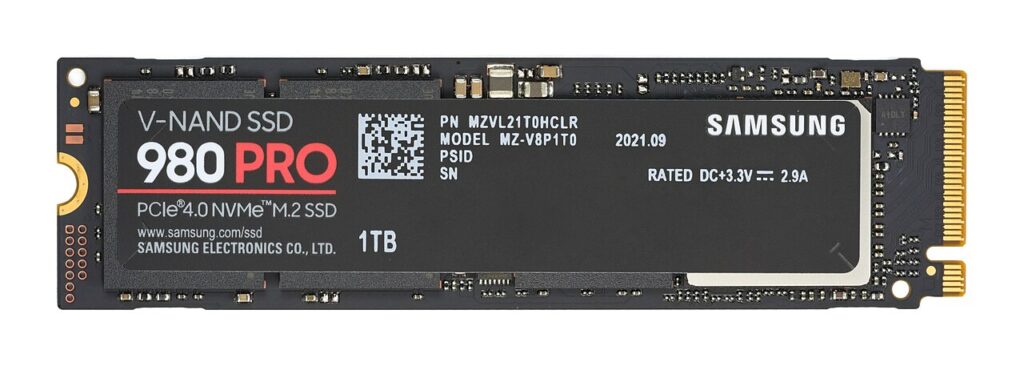

A PS5 storage upgrade is not just a search for any M.2 drive. Sony specifies the supported interface, physical dimensions, and heat-dissipation requirements for the internal expansion slot. A drive that fits a laptop may not meet the console’s instructions. Start with Sony’s current support table and the exact SSD model and heatsink arrangement you intend to buy.
Check the interface first
Sony’s guide specifies a compatible M.2 NVMe SSD using PCIe Gen4 x4 and lists additional requirements. M.2 describes a form factor family and is not sufficient on its own to establish support. Read the full interface specification before comparing capacity or promotional claims.
Use the manufacturer’s precise model number. Product families can contain different revisions, capacities, and bundles. A review of one variation does not automatically establish that another variation, especially a different heatsink package, meets the same dimensions.
Include cooling in the measurement
Sony requires effective heat dissipation and publishes the permitted installation envelope. Read the complete table, including limits for the SSD and cooling structure together. Do not combine a bare-drive dimension with an aftermarket heatsink without checking the assembled size.
A drive sold with a heatsink may simplify the parts list, but the actual dimensions still need verification. A separately selected heatsink requires its own compatibility and installation checks. Neither arrangement should be assumed approved simply because a seller puts PS5 in a title.
Choose capacity for your installed library
Review the size of the games you want ready at once, including room for updates. A larger capacity can reduce how often you manage installations, but it is not proof of faster loading or a better gaming experience. Those claims need suitable exact-model evidence.
Decide whether the upgrade solves a frequent storage problem or simply anticipates a library you may not build. A practical purchase meets current needs with reasonable room to grow. Keep the capacity decision separate from the nonnegotiable compatibility requirements.
Distinguish internal and USB storage
Sony explains different roles for internal M.2 storage and USB extended storage. Do not assume an external drive provides every function of the internal expansion slot. Check the rules for the type of software you plan to store and play.
If your goal is moving or archiving games, read those instructions before buying an internal upgrade by default. The simpler arrangement may be appropriate for one workflow while another needs the internal slot. There is no universal best storage accessory independent of the task.
Prepare for installation responsibly
Read Sony’s installation instructions from beginning to end, including shutdown, static-electricity precautions, handling, and formatting. Make sure you understand any operation that erases data. Keep purchase records and the drive documentation available if something does not match the expected specification.
This article is a buying checklist and does not replace Sony’s installation directions. Choose only after the exact drive, cooling arrangement, capacity, and current console requirements align.
Sources
Based on the manufacturer and primary-source references below, checked November 12, 2026.
Continue with our smarter shopping field guide and explore more gaming guides. Read our editorial policy for sourcing and corrections.