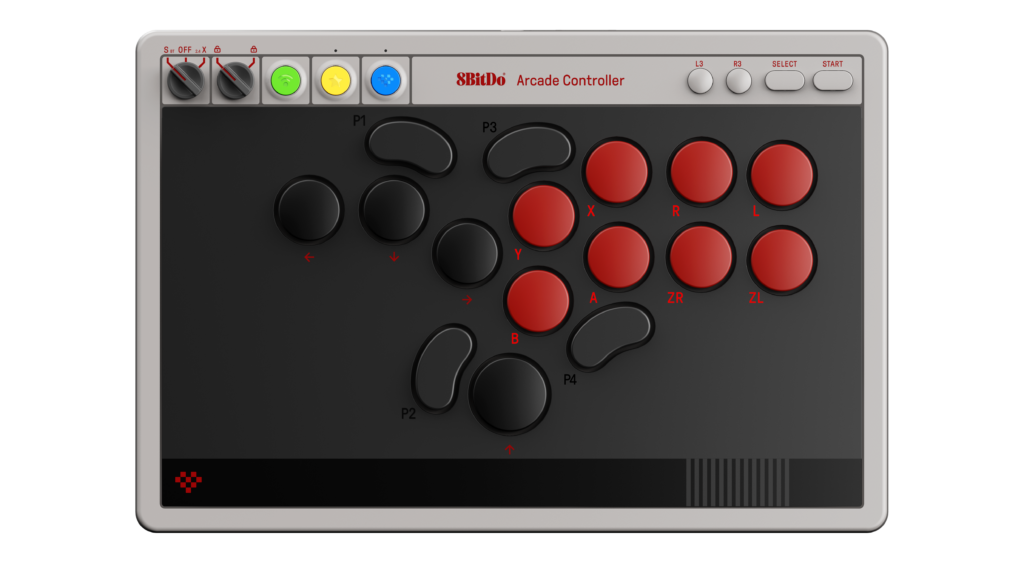
The 8BitDo Arcade Controller N Edition is a leverless controller: movement uses buttons rather than a stick or thumbstick. That makes it a different input method to learn, not simply a gamepad with more buttons. Consider it when you specifically want an all-button fighting-game layout for a supported Switch or Windows setup. Skip it if you mainly want a familiar controller for many different game genres.
Products to consider
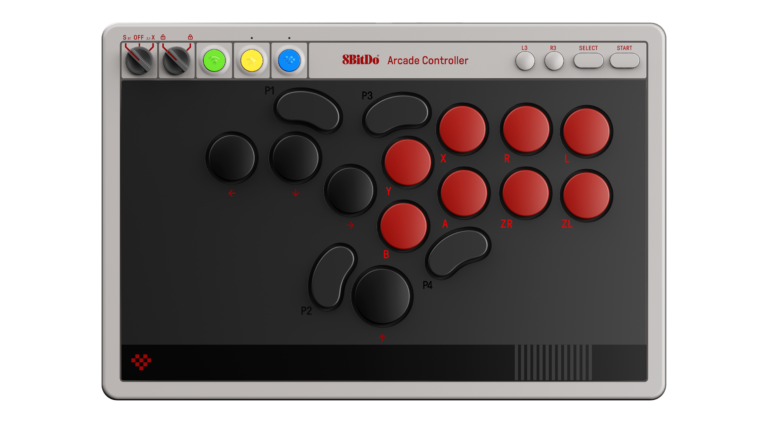
8BitDo Arcade Controller — N Edition for Switch & Windows
A leverless, all-button fighting-game controller for supported Switch and Windows setups. It offers remapping, three connection methods, and replaceable switches, but the movement-button layout needs practice if you are coming from a gamepad or joystick.
Check on Amazon Paid link. I may earn a commission from qualifying purchases.| Your situation | What matters |
|---|---|
| You want to learn button-based movement | This leverless layout is the relevant category. |
| You prefer a physical lever | Compare a supported arcade stick instead. |
| You want one familiar controller for many genres | A conventional gamepad may fit the job better. |
Start with the movement layout
Look at the directional cluster before the programmable shortcuts or wireless features. Imagine how your fingers will handle left, right, down, and up. The layout changes the physical habit behind movement, so a successful purchase depends partly on whether you want to learn it.
A keyboard can help you explore the idea of button-based directions in a suitable PC game, but it is not an exact substitute for this controller's spacing and construction. If possible, try a leverless layout before committing. No controller automatically improves execution simply by changing the input hardware.
Match the standard model to the platform
This is the standard N Edition for Switch and Windows, not the separately sold Xbox edition or the older Arcade Stick. 8BitDo documents Bluetooth use for Switch, 2.4GHz for Windows, and wired connections for supported systems. Follow its current firmware and compatibility instructions for the exact console you own.
Keep that distinction when shopping. Similar branding and photographs can lead to the wrong edition being selected in a marketplace variation menu. The product button in this guide uses the standard model's US reference from 8BitDo's own page.
What the compact case gives you
The manufacturer describes a thin, compact design with foldable feet, an adapter-storage compartment, and a top control panel. Those details can suit a portable fighting-game setup: the receiver stays with the controller, and basic controls are not buried in software menus.
Think about the surface where you play. A desk, lap, and tournament table can position the controller differently. Check dimensions and support before assuming a thinner case is automatically more comfortable. The feet provide positioning options, but their usefulness depends on your setup.
Treat remapping as a setup decision
The standard model has programmable buttons, lock caps, and configuration through Ultimate Software. Decide which actions need a dedicated position and which extra controls you would prefer disabled. A simpler mapping can be easier to understand when switching between games.
If you enter an event, check its current controller and SOCD rules separately. A tournament-lock feature on the hardware is not blanket approval for every event or every mapping. Keep the applicable rules and your configuration together before traveling.
Hot-swap does not mean every switch fits
8BitDo specifies low-profile mechanical switches for this controller and sells a separate upgrade kit. Follow the documented switch format and replacement instructions. Do not transfer compatibility assumptions from a normal desktop keyboard to the arcade controller's sockets.
Check the package contents so an optional kit, wrist rest, or extra accessory is not mistaken for something included with the base unit. The actual purchase should cover the setup you intend to use, without relying on an accessory shown elsewhere in the product photography.
Our take
Consider this model if an all-button layout is the goal and you want the documented Switch/Windows connection options in a portable form. Choose a conventional gamepad if broad familiarity matters more, or a compatible stick if a lever is the physical interface you actually want. The strongest reason to buy is a deliberate input-method choice, with enough time to learn it.
This is a specifications-and-use-case buying guide. We have not performed latency or tournament testing. For the rest of the setup, confirm display and headset connections separately rather than assuming the controller determines the entire experience.
Sources
Specifications and product version checked November 12, 2026. Images supplied in 8BitDo / Game Outlet Europe press assets; no hands-on testing is claimed.
Compare more gaming guides and read our editorial policy.