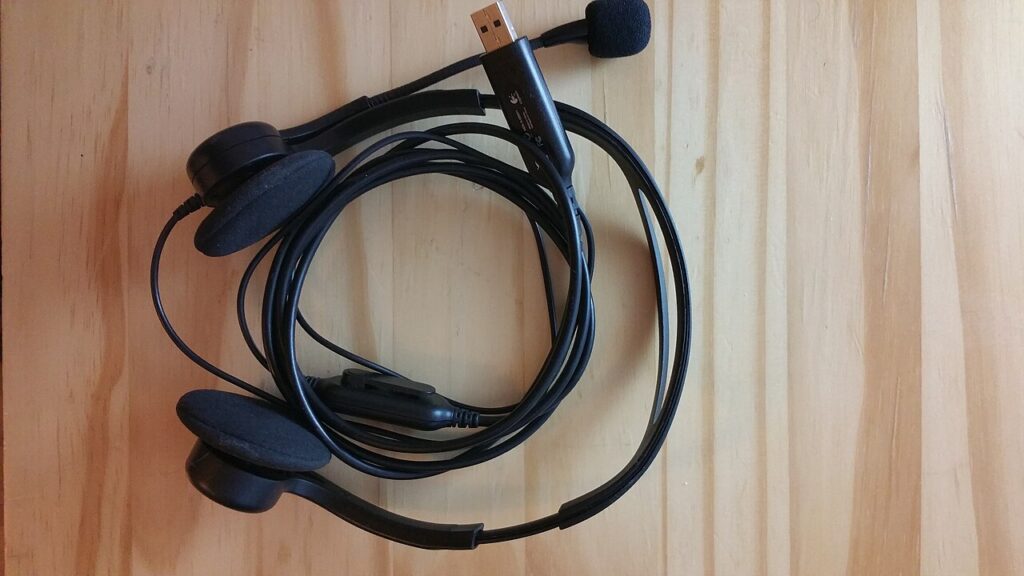

A headset can have the right physical connector and still miss a function you want on a game system. Audio, microphone support, wireless pairing, and controls need to work through the whole connection path. Begin with the exact console or computer, controller, and chat application. Then check the headset’s platform-specific documentation instead of assuming one wireless label means universal support.
Draw the audio and microphone path
List where the headset will connect: a controller socket, a console USB port, a computer, or a dedicated transmitter. Record whether that connection supports both listening and microphone use. A cable that provides audio in one setup may have different microphone or control behavior in another.
Check included adapters and cable wiring requirements. Do not assume the package contains every splitter or extension shown in a lifestyle photo. If you need to move between devices, note each required arrangement so a convenient-looking headset does not become a collection of extra adapters.
Read wireless compatibility literally
Bluetooth and a proprietary wireless transmitter are different connection approaches. A console’s support for wireless controllers does not establish general Bluetooth headset support. Confirm the exact platform and transmitter variant listed by the headset manufacturer.
Some product families offer separate versions for different consoles. Similar colors and model names can obscure that difference. Recheck the final variation before ordering, especially when selecting a bundle or color changes the underlying product listing.
Treat USB audio as platform-specific
A USB plug is not a universal guarantee of console headset functionality. Read the console maker’s current accessory guidance and the headset’s supported-platform list. Software-based features available on a PC may not be available when the headset connects to a console.
For a work-and-gaming setup, also check whether the headset can switch between the intended devices and how microphones behave during that change. Multipoint or simultaneous-use claims need exact documentation. A wireless version number alone does not prove those features.
Compare controls and comfort separately
Look for clear mute indication, accessible volume adjustment, and an understandable connection process. A microphone boom that moves or detaches may be convenient, but check what that action actually controls. Do not infer muting from the boom’s position unless the manufacturer documents it.
Comfort depends on your head shape, glasses, session length, and preferred pressure. Look for meaningful exact-model observations and suitable return terms. Weight and padding descriptions can help narrow a shortlist without guaranteeing the fit of a full evening’s use.
Check ongoing support and wear parts
Read charging requirements, replacement pad availability, and any companion-software dependencies. A headset with worn pads or an unsupported transmitter can be inconvenient to maintain even if the original feature list looked complete. Include those parts in your purchase notes.
It provides no verified gaming-headset ASIN. A useful final shortlist names the exact headset variation, the connection used on each platform, and the functions supported through that connection.
Sources
Based on the manufacturer and primary-source references below, checked November 12, 2026.
Continue with our smarter shopping field guide and explore more gaming guides. Read our editorial policy for sourcing and corrections.