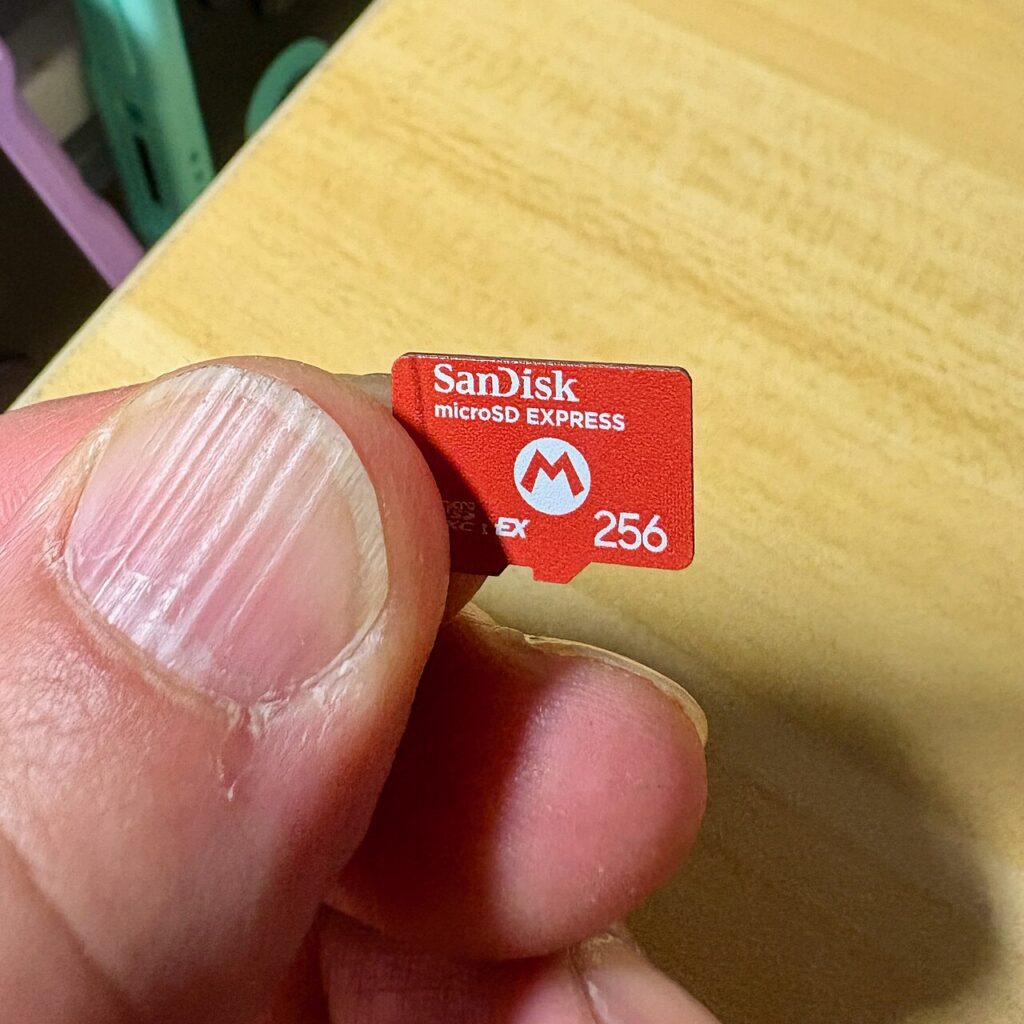

Nintendo Switch 2 storage shopping requires one distinction before capacity or branding: game storage uses microSD Express. A conventional microSD card that worked with an earlier Switch is not automatically suitable. Start by checking the console generation and the card’s actual format markings. Buying the wrong format is a more fundamental mistake than buying a capacity you later outgrow.
Identify the console and card format
Nintendo’s compatibility documentation distinguishes Switch 2 from the original Switch family. It says Switch 2 requires microSD Express for the relevant game storage functions. A familiar card brand, a large capacity, or a general fast-card description does not substitute for the Express requirement.
Check the exact package and item description. Avoid relying on a marketplace title that mixes several card types or variations. If selecting a capacity changes the underlying format or listing variant, confirm the final item in the cart again before ordering.
Read Nintendo’s current support notes
Nintendo documents a system update for first use of a microSD Express card and currently lists support up to 2TB. Use the current support page as the basis for compatibility rather than an old accessory chart copied between retailers.
The company also describes limited uses for older cards, such as importing certain captured material. That should not be confused with general game-storage support. If your goal is moving data from an earlier console, follow Nintendo’s current transfer instructions for that data type.
Choose capacity from your library
Look at the games you actually plan to keep installed and their published storage requirements. Leave room for updates and a realistic addition or two. A larger card reduces some storage management, but capacity alone does not change the console’s compatibility requirements.
Consider how comfortable you are archiving and downloading software again. A small, well-managed installed library may need less space than a family that keeps many large titles ready. Do not promise an exact number of games based on capacity alone; game sizes vary.
Check seller and packaging carefully
Use a reliable seller, clear return terms, and an exact item description. A card is a small product whose capacity and format can be difficult to judge from an image. Save the order details and packaging until you have confirmed the item works as intended under Nintendo’s instructions.
Do not infer authenticity from a familiar-looking label alone. If the received item differs from the listing, resolve that with the seller. Follow official handling and formatting guidance rather than repeatedly changing formats in an attempt to make an incompatible card work.
Separate expansion from backup
Adding storage is not the same as creating a backup of every type of console data. Read Nintendo’s explanation of where software, saves, and captures live and what transfer or backup options apply. Do not erase an older card or console on the assumption that everything has moved.
Its value is the compatibility check: exact console, Express format, current support instructions, suitable capacity, and a reliable source for the item you will receive.
Sources
Based on the manufacturer and primary-source references below, checked November 12, 2026.
Continue with our smarter shopping field guide and explore more gaming guides. Read our editorial policy for sourcing and corrections.