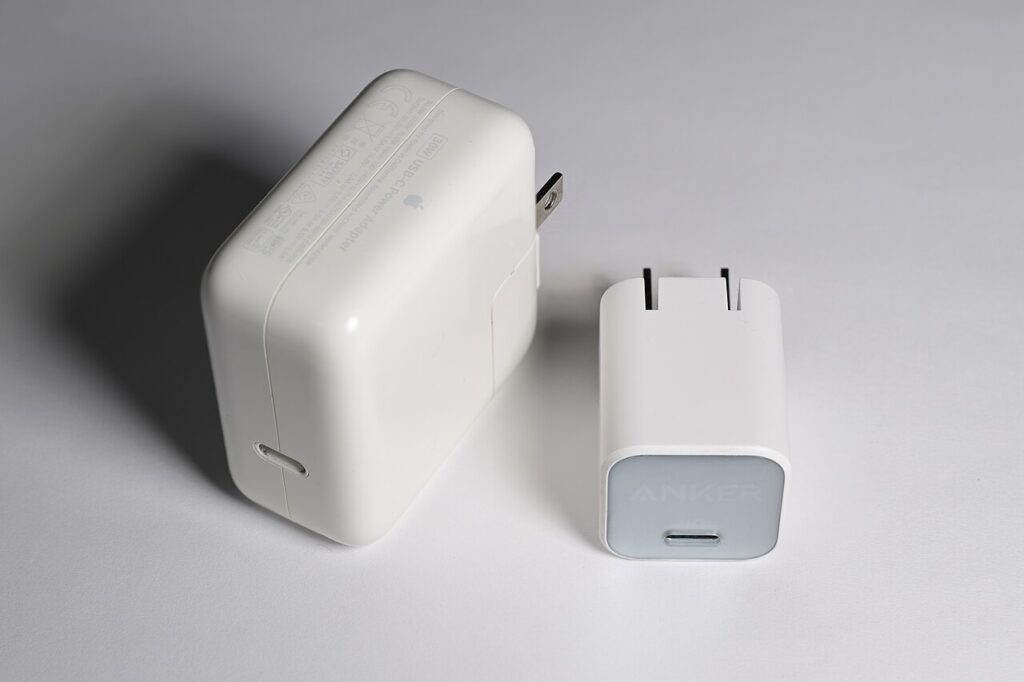

A charger can have enough total wattage on the box and still be a poor match for your laptop and phone together. The useful specification is the power available from each port in the combination you will actually use. Before comparing charger sizes, write down the laptop model, its normal power adapter rating, the phone model, and the cables you already own.
Start with the laptop’s documented requirements
Look up which port accepts charging and which power profiles the manufacturer supports. A USB-C socket might serve data or accessories without accepting power. If the original charger uses a proprietary connector, do not assume a simple adapter will replace its functions. Keep the original charger until a replacement has proven compatible with your normal workload and the manufacturer’s directions.
A higher maximum charger rating is a capability, not a promise that every connected device will draw that power. USB Power Delivery provides a negotiation framework. The charger, device, and cable still need to support the intended combination. Check the exact output table rather than choosing by the largest number in the product name.
Read the simultaneous-use table
For a laptop and phone, find the manufacturer’s two-port allocation diagram. Some chargers change their output when a second device connects. Others reserve their highest output for one particular socket. If the documentation only lists a combined total, ask the manufacturer how much reaches the laptop while the phone is attached.
Consider whether you frequently connect an additional watch charger or earbuds. A spare socket is useful only if the resulting power split still fits your needs. Draw the actual connection arrangement, including any cable that blocks an adjacent socket, before paying for additional ports.
Choose cables for the same job
Match the cable’s supported power to the intended laptop charging arrangement. Read data and video specifications separately if that cable will also connect storage or a display. A charging cable is not automatically a suitable replacement for a monitor cable, even when both ends fit.
Length changes convenience. A short cable travels neatly but may leave a heavy charger hanging awkwardly from a wall outlet. A longer cable reaches a desk more easily but takes more space in your bag. Plan where the charger will rest and keep connections free of strain.
Compare desk and travel trade-offs
A compact wall charger is convenient for a light bag. A charger with a detachable mains lead may be easier to position behind furniture. Neither layout is universally better: the right choice depends on accessible outlets and whether you want the adapter on the floor, desk, or wall.
Check the listed input voltage and the destination’s plug requirements for travel. A plug adapter and a voltage converter serve different purposes. Follow the device maker’s instructions and the accommodation’s rules rather than treating a travel accessory label as a complete compatibility guarantee.
Make a two-device purchase checklist
Your shortlist should identify supported laptop charging, the two-port power split, suitable cables, physical placement, and clear seller return terms. Reject a charger whose documentation leaves a required output ambiguous. Adding a port later is easier than repairing a purchase built around an unsupported assumption.
This is a specification-based selection process, not a comparison of measured charger efficiency, temperatures, or charging speed. A useful final decision is one documented charger-and-cable arrangement that supports both devices during the routine you expect.
Sources
Based on the manufacturer and primary-source references below, checked November 12, 2026.
Continue with our smarter shopping field guide and explore more tech guides. Read our editorial policy for sourcing and corrections.